Posts

Showing posts with the label How to...

Course Review: The Rogue Animator - Learn How to Create Animation from Idea to Finished Animated Short

Image
The Rogue Animator . Premium Training by 2D Animation 101. 2D Animation 101's Premium Video Course, The Rogue Animator , aspires to teach you how to create your own 2D animated short in ten days. To do this, course instructor, Mark Diaz, takes you through his entire process of creating one of his animated shorts, then, helps you through the same process using your own idea for a production. The course is targeted at beginner to intermediate animators (or anyone struggling to achieve an efficient work flow), who are generally one person teams, looking to get their own ideas into the world through video sites like YouTube. About the Course In the introduction video Mark explains exactly how much time you'll need to set aside each day to complete the course in ten days. He also understands that not everyone will have that much time to spare so offers some alternative, longer timeline examples. The key point being, that you need to take the time to watch the videos and apply the co...

Course Review: The Art of Aaron Blaise - Anatomy, and Character Design

Image
I recently purchased two online drawing courses created by former Disney Animator, Aaron Blaise , including How to Draw Human Anatomy , and Character Design . Both courses were included in Aaron's Figure Drawing and Character Design Bundle , pack deal. My own drawing style is heavily influenced by early Disney animated classics (think pre digital animation), which you can see in the more rounded lines of my characters - as opposed to the more angular character design lines you find in Marvel and DC comics etc. I wasn't sure how much I'd learn from either of these courses, baring in mind I've already studied both topics in detail in Art School, and have been designing my own characters since I was in primary school, but Aaron's a veteran and easily out classes my animation skills. Both courses are entirely presented as video tutorials with Aaron, at his desk, speaking to camera, cut with video captures of his drawing (all in real time). Aaron speaks very clearly and ...

Course Review: Create Animated Series for YouTubers in CrazyTalk Animator 3.1

Image
Learn to animate your own characters in 2D Animation 101's CrazyTalk Animator 3.1 course. Although CrazyTalk Animator is a relatively easy animation software to start creating in right away it becomes apparent, very quickly, that creating great animation with it requires much more in depth knowledge of the application. 2D Animation 101's course,  Create Animated Series for YouTubers in CrazyTalk Animator 3.1 , is by far, the best course available to lead you to those great results. Initially the course was free for anyone who purchased CrazyTalk Animator 3.1, however if you missed that offer the course is available both through 2DAnimation101's website and Udemy . Presented as a series of video tutorials, instructor Mark Diaz, takes you through the entire process of scripting, storyboarding, and creating scenes using your own custom characters (created in Photoshop) with the focus, specifically on scene creation and the animation process in CrazyTalk Animator. The course ...

Learn Moho Pro 12 Free Using SmithMicro's Own 104 Video Tutorials Sorted into a Logical Order of Progression

Image
So you've bought Smith Micro's Moho Pro 12 along with the Moho, 10 hour, 104 Video Tutorials Add On pack so you can get learning right away... only you can't. For whatever reason, the video tutorials aren't sorted into any logical order of progression making them hard to follow. Yeah, I've been there, only I've done what Smith Micro should have done and sorted all the video tutorials into a logical order of natural progression for you. That is, each tutorial builds upon what you learned in previous videos and you won't suddenly come up against some feature you've never used before, unless that feature is what the video tutorial is about. As I sorted through all 104 videos I blogged my progress in a 12 part series that lists the video tutorials in the order you should attempt them and gives highlights of what some of the videos contain. Links to all 12 blog posts are below. Learning Moho Pro 12 (Anime Studio Pro): 12 Part Blog Series Alvin Owl by TET. I...

From Traditional to Digital Sketching - My Journey.

Image
TET. Mobile Phone Sketch. There was a time when I would sit in front of the TV on an evening, sketch book in my lap, doodling away turning lines and shapes into all manner of characters and quite a few dragons too. With the rise of social media and advances in mobile phone technology my sketch pad has been replaced with Facebook, email and other social app checking. So my lack of creativity is basically your collective fault for distracting me with Likes, comments and other blips of information that really don't need to be checked every few minutes... well not really. I could just put away my phone and pick up a sketchbook again but... I've never been a big fan of flatbed scanners. For me they're an unnecessary hurdle for getting my art from sketch book to computer where so much of my work ends up these days. Back in the day, before scanners I used to draw directly into the computer with the mouse - reproducing my hand drawn sketches on paper on the screen. Whilst I got fai...

Book Review: Screen Acting - How to Succeed in Motion Pictures and Television

Image
For a book that was last published back in 1987, Screen Acting, How to Succeed in Motion Pictures and Television by international Australian Actor and TV show host Brian Adams is remarkably not very out dated at all. Except for a few organisation names which may or may not still be the same and actor salary tables the majority of information in this book is still as relevant today as it was back in 1987. You may be wondering why I'm reading this book? Well, it's one I bought as part of a directors course I completed back in the mid 1990s and never read. Now that I'm seriously back into animation and doing some of my own voice acting I figured this book would probably have some good pointers. At 373 pages it's packed with information about every aspect of acting from how to break into the business through to TV studio floor manager hand signals, director speak and more. A chapter that particularly stood out to me was the one dealing with vocal exercises. I'm challen...

Bat Storm - A Look Behind the Curtain of a Future iClone Project

Image
I recently teased the above Bat Storm image on my Facebook wall stating that it was a future iClone project that I hoped to work on. The image is just a fun test that I put together, in the space of about an hour or so of tinkering, after purchasing a bunch of Superhero content through the Reallusion Content Store and Market Place . Because the image looks cartoonish you could be forgiven for thinking it's something I drew myself. If you're not familiar with iClone and 3D animation techniques in general I thought I'd draw back the curtain a little and show you how this image was made. To begin, for all the crap (to be nice about it) GoAnimators get for animating with pre-made and pre-animated content, in the 3D animation community it's just a generally accepted practice to use other people's models, props sets etc. and no one ever calls them out on it (well I did once to a 3D illustrator and he got hugely upset about the thought of having to credit someone else fo...

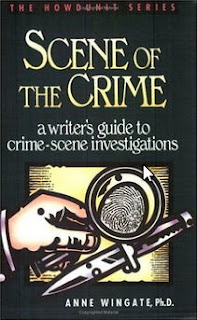
Book Review: Scene of the Crime - a Writer's Guide to Crime-scene Investigations

Image
I bought Scene of the Crime, a writer's guide to crime-scene investigations by Anne Wingate, Ph.D. at the same time as I bought Modus Operandi so the information, whilst still relevant, much is more relevant to pre 1996 crime scene investigations. That said, this is an excellent companion to that book. Where as Modus Operandi gives you an overview of types of criminals, Scene of the Crime goes into the specifics of how police work a crime scene. Anne Wingate is a retired detective and author of crime novels. Much of this book is based on her personal experience of crime scenes and not only includes anecdotes from her professional career but also includes a specific, real case as a framework for the step by step process of investigating a crime. It is a fascinating read covering everything, from what happens when a crime is first reported, how a crime scene is recorded, how evidence is collected, what evidence can be found, how evidence is processed and what can be concluded fro...

Book Review: Modus Operandi - A Writer's Guide to How Criminals Work

Image
To give you some idea of how long ago it was between buying this book and when I actually read it, the book makes a reference to the movie Jurassic Park being currently popular in theaters. When I read it, Jurassic World was owning theaters everywhere. Despite being published in the mid 1990s much of the information in Modus Operandi, a writer's guide to how criminals work by Mauro V. Corvasce and Joseph R. Paglino is still relevant - especially if you're writing anything set pre 1996 and want to be aware of how things were 20+ years ago. A very useful book for anyone writing crime stories - even something as basic as a Scooby Doo style animated mystery - you'll find plenty of real world criminal behavior to structure a story around. Types of criminals include; Arsonists, Thieves, Hijackers, Con Artists, Counterfeiters, Fences, Murderers, Kidnappers, Prostitutes, Armed Robbers, Safe Crackers, Lockpickers, Smugglers, shoplifters and White Collar Criminals. Each chapter gi...

Book Review: The Cheeky Monkey - Writing Narrative Comedy

Image
I don't know of many books that focus specifically on writing narrative comedy so when I discovered The Cheeky Monkey, Writing Narrative Comedy by one of Australia's comedy legends, Tim Ferguson (international readers my know him better as one third of the comedy trio, the Doug Anthony All Stars ), I knew it was a book I'd buy. Narrative comedy is comedy that tells a story, most often in the form of a TV Sitcom (the focus of this book) but also extends to movies, theatre and pretty much every other form of story telling. At just over 200 pages this book doesn't mess about over analyzing every topic. It tells you the basics, offers a few examples and, particularly in the earlier chapters, gives you an exercise to try what you've learned for yourself. If you're anything like me, you'll probably read through the exercises but won't actually do them unless you've purchased this book as part of an actual course, with a proper lecturer and everything. Sin...

Learning Reallusion's iClone 5: Part 6 - Post FX and Toon Shader

Image
If you're interested in iClone and was wondering how hard it is to learn then that's what this series is about, my experience of learning iClone 5 using Reallusion's Quick Fix Video Tutorials . Click the following links for Part 1 , Part 2 , Part 3 , Part 4 and Part 5 . If you're just looking to learn iClone then skip this and try the tutorials for yourself as this series is not a how to guide for iClone 5. This will be the final post in the series as the last two Quick Fix Video Tutorials are very short and essentially involve mostly adjusting settings on specific effects. Applying a Lens Blur effect. The first tutorial is Quick Fix Tutorial - Post FX which focuses on different keyable filter effects that can be applied to your finished scenes. Effects include; blur, color adjust, color filter, lens blur and NPR (Non Photo-realistic  Rendering). To add each effect it's a simple case of double clicking the one you wish to apply then adjusting the settings. If you ...

Cool Froyd the Cat and Crazy Talk Animator 2 (Pipeline)

Image
I started trying to animate my original cat character, Cool Froyd (taken from one of my paintings), back in April of 2013 using Crazy Talk Animator Pro. The character was all ready to animate but the project stalled due to a lack of inspiration script-wise on my part and a need to spend more time learning to use CTA Pro. Fast Forward to December 2013 and my purchase of Crazy Talk Animator 2 (Pipeline edition). After spending a few weeks over Christmas and New Years learning CTA2 I decided to revisit Cool Froyd and discovered that enough of what I had learned was transferable to CTA Pro. What's more learning CTA2 made Pro look almost like child's play. In the space of an evening I had ad-libbed a short animation, created with CTA Pro, featuring Cool Froyd, for my previous blog post about AVSoft's Voice Changer Software . I was really happy with the result but not the script and I also knew CTA Pro characters can be imported into CTA2. So, back story over, let's finally...